
Preview of the next version
Help check Ebb in your language.
Ebb is a free, private period tracker that keeps everything on the phone. It has just learned six new languages, and before they reach everyone, each one needs a native speaker to read it in the real app. Thank you for helping.
- Deutsch
- Español
- Français
- Italiano
- Português (Portugal)
- Русский
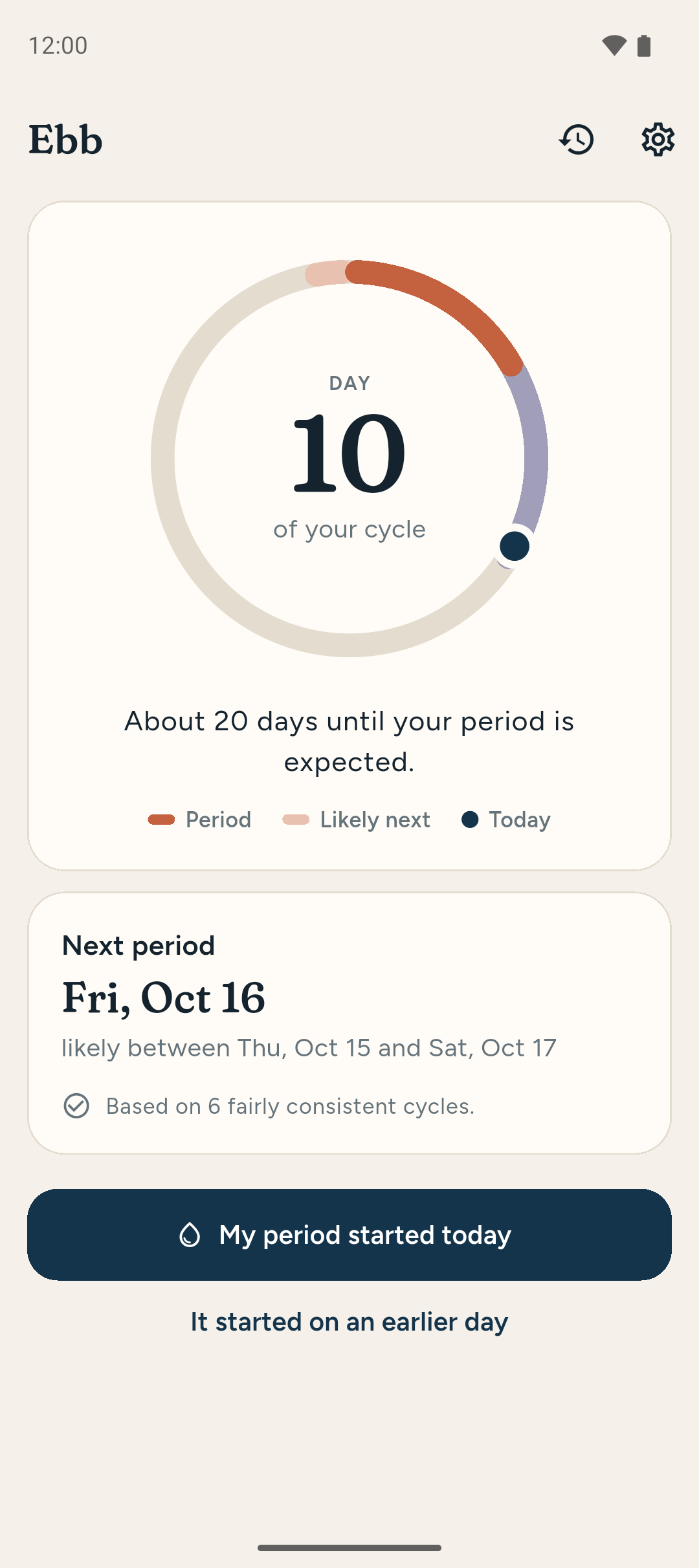
Ebb 0.9.0-bac188709
Built October 22, 2026 · Android 7.0 or newer
Download preview APK 74 MB- File
- ebb-0.9.0-bac188709.apk
- SHA-256
36a89dd3a4559998203d815a5fa87bc4850af5a738f6570fa8926e7867bd2c31- Signed by
- SuperDaveLab, the same key as every release
- Source
- Built from commit bac188709
Installing
- Tap Download preview APK on your phone. Chrome warns that the file might be harmful, as it does for every app from outside the Play Store. Tap Download anyway.
- Open the download and tap Install (or Update, if you already have Ebb). The first time, your phone may ask you to allow Chrome to install unknown apps.
- If you see App blocked to protect your device, tap More details, then Install anyway.
- Open Ebb and allow notifications, so you can check the reminders too.
A preview installs over the released app and keeps its history, and the next release installs over the preview. A preview can have bugs the release doesn't: if you track your own cycle in Ebb, save Back up to a file in Settings before installing.
What to check
About half an hour, at your own pace. You don't need a cycle of your own to help: add a pretend person and make up their history. Ebb keeps everything on the phone, and you can delete it all afterwards in Settings.
1. Switch to your language
Ebb follows the phone's language. To pick one just for Ebb, go to Settings → Language. Check that the first screen and the menus read naturally.
2. Log some history
Log a period starting today, then add a few past ones in History. Read the home screen as it changes: the day of the cycle, and when the next period is expected.
3. The calendar and a day
Tap a day on the calendar. Try flow, the rating, the faces for feelings and a note. In Settings, turn on temperature and cervical mucus, and look at those too.
4. Estimates and charts
Read how Ebb words its estimate and how sure it is. Open Charts. In Settings, turn on the fertile window and moon phases and read what they say.
5. Someone else, and reminders
Add a second person in Settings, so you see the sentences that name someone. Set reminders a day or two ahead of an expected period and read them when they arrive.
6. Settings and help
Read Settings top to bottom, How Ebb works and Your data. Try a backup and a restore, and read every question Ebb asks before it changes something.
Beyond wrong words, tell us about anything that sounds machine-made, too formal or too casual, text that's cut off or doesn't fit, and places that are still in English. (The name Ebb, and anything you typed yourself, stay as they are.)
The words that matter most
Ebb is careful about what it claims to know. A translation that turns an estimate into a promise, or blurs a period into a cycle, changes what the app says. Please check your language keeps each of these meanings, everywhere it appears.
| In English | What it must mean |
|---|---|
| period | The days of bleeding. The plain, everyday word, never a euphemism or slang. |
| cycle | From the first day of one period to the first day of the next. |
| expected / likely between | An estimate, never a promise. Ebb gives a range and says how sure it is. |
| late | The period hasn't started by when it was expected. A plain fact, never alarming. |
| fertile window estimate | A rough estimate from cycle timing alone. It must never sound reliable enough for contraception. |
| spotting | Light bleeding, logged apart from a period's flow. |
| cervical mucus | The usual term in your language, as a doctor or a fertility-awareness guide would use it. |
Ebb speaks plainly and calmly, in any language. Periods are ordinary, so if a sentence sounds embarrassed, secretive or clinical, that's worth reporting. And Ebb never gives medical advice: if a sentence reads like it's telling someone what their body means, that's a mistake too.
Tell us what you found
One message per problem is easiest, but a list is fine too. Write in English or in your own language.
For each problem, the most useful things are: the screen it's on, what it says now, and what it should say. A screenshot helps; email it to us, as the form can't take attachments. Please use made-up history in screenshots, never your own.
Only what you type here is sent, by email, to SuperDaveLab. Nothing from the app is included. Leave your email out if you'd rather not be asked follow-up questions.
Email instead: feedback@superdavelab.com